Datavideo
WR-500 Bluetooth Teleprompter Remote Control
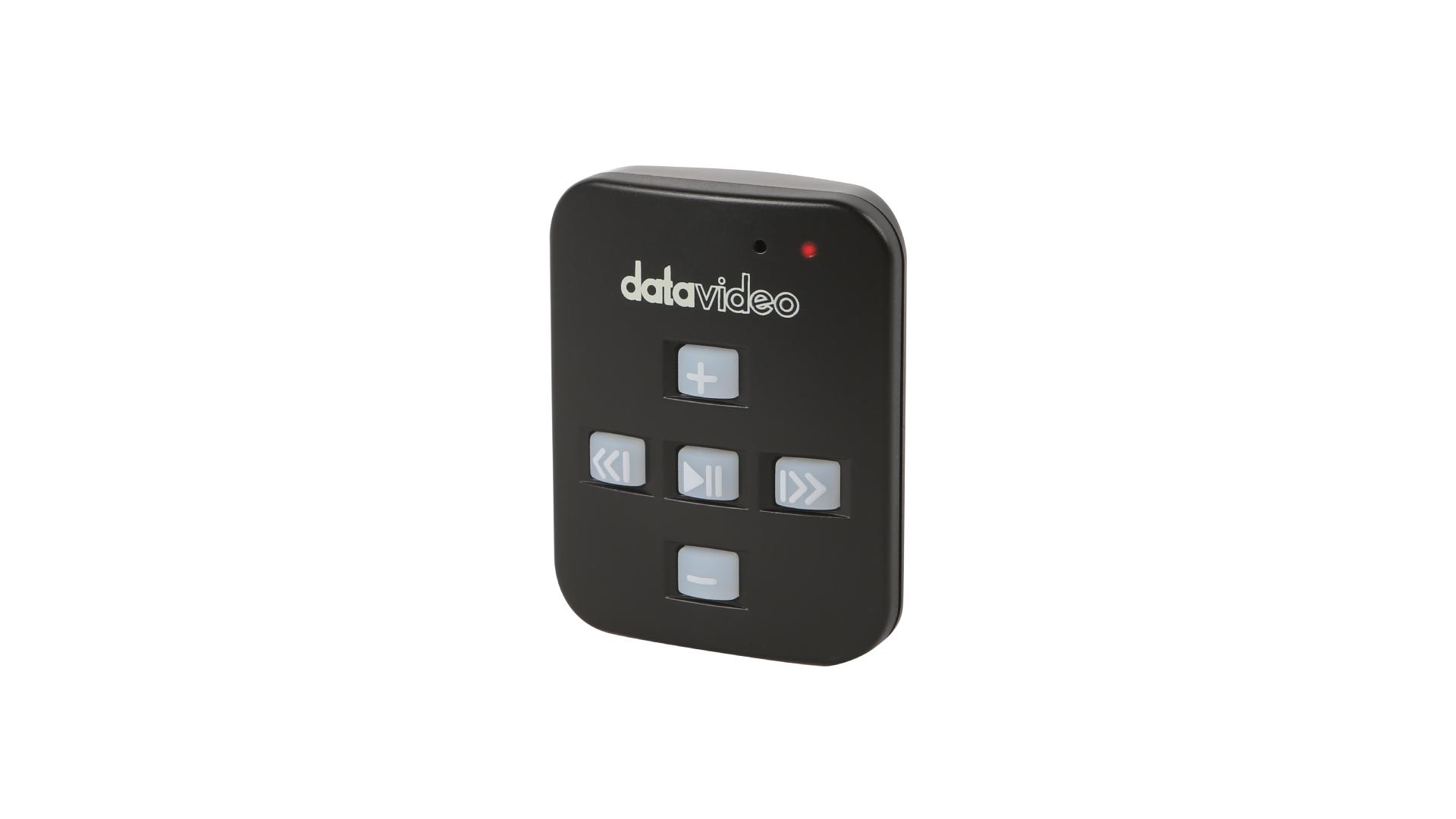
The WR-500 remote can be used wired or wireless to control the teleprompter in a direct way.
Price on request
- Ordered for you after you confirm. We tell you the delivery time before you pay.
- Model code: WR-500
About this product
The WR-500 remote can be used wired or wireless to control the teleprompter in a direct way.
Bluetooth or Wired Remote for Teleprompters
The WR-500 Remote Controller gives presenters and production teams complete control over their teleprompter experience. Designed to work seamlessly with the powerful dvPrompter Plus app, the WR-500 offers the flexibility of both wired and Bluetooth connectivity, making it adaptable for studio setups, live events, field production, classrooms, and houses of worship.
Flexible Connectivity Options
Whether you prefer the reliability of a wired connection or the freedom of wireless operation, the WR-500 has you covered:
Wired Mode – Simply plug in and you're ready to go, ideal for use with our TP-700, 800 and 900 series.
Bluetooth Mode – Perfect for mobile productions or situations where cable-free operation is essential. Enjoy full control from a distance without being tethered.
Switching between modes is quick and easy, allowing you to tailor your setup to the demands of each production.
Complete Script Control at Your Fingertips
Pause & Resume Scrolling – Instantly stop and restart your script as needed.
Adjustable Scroll Speed – Increase or decrease the speed in real time to match your speaking pace.
Change Scroll Direction – Reverse direction with a single button press.
Font Size Control – Enlarge or reduce text for optimal readability.
Jump to Break Markers – Instantly navigate to specific points within your script.
Playlist Navigation – Switch between scripts quickly and smoothly during multi-segment productions.
Designed for Professional Performance
With its ergonomic design, intuitive button layout, and dual connectivity options, the WR-500 is a dependable solution for anyone using the dvPrompter Plus app.
Where to Buy?
SEE MORE
Find an authorized reseller